How to Use the Custom Parts Quote Feature
Last updated on Feb 24, 2026
Welcome to JLCMC! This guide will help you efficiently use our Custom Parts Quote feature to meet your custom or bulk component purchasing needs.
Important Pre-submission Checklist
- Sign In/Register: To ensure you receive comprehensive quotation support and order tracking, please Sign In/Register your JLCMC account before proceeding.
Holiday Notice: Due to the approaching Annual Spring Festival, our factory will be on holiday. Please note that the processing of non-standard customization requests will be affected. For detailed scheduling, please refer to our [Holiday Service Announcement].As of 24th February 2026 (GMT+8), work has resumed as usual.- Current Scope: We specialize in FA-related products for custom quotes. Electronic component support is currently unavailable, but we will notify users as soon as this service expands.
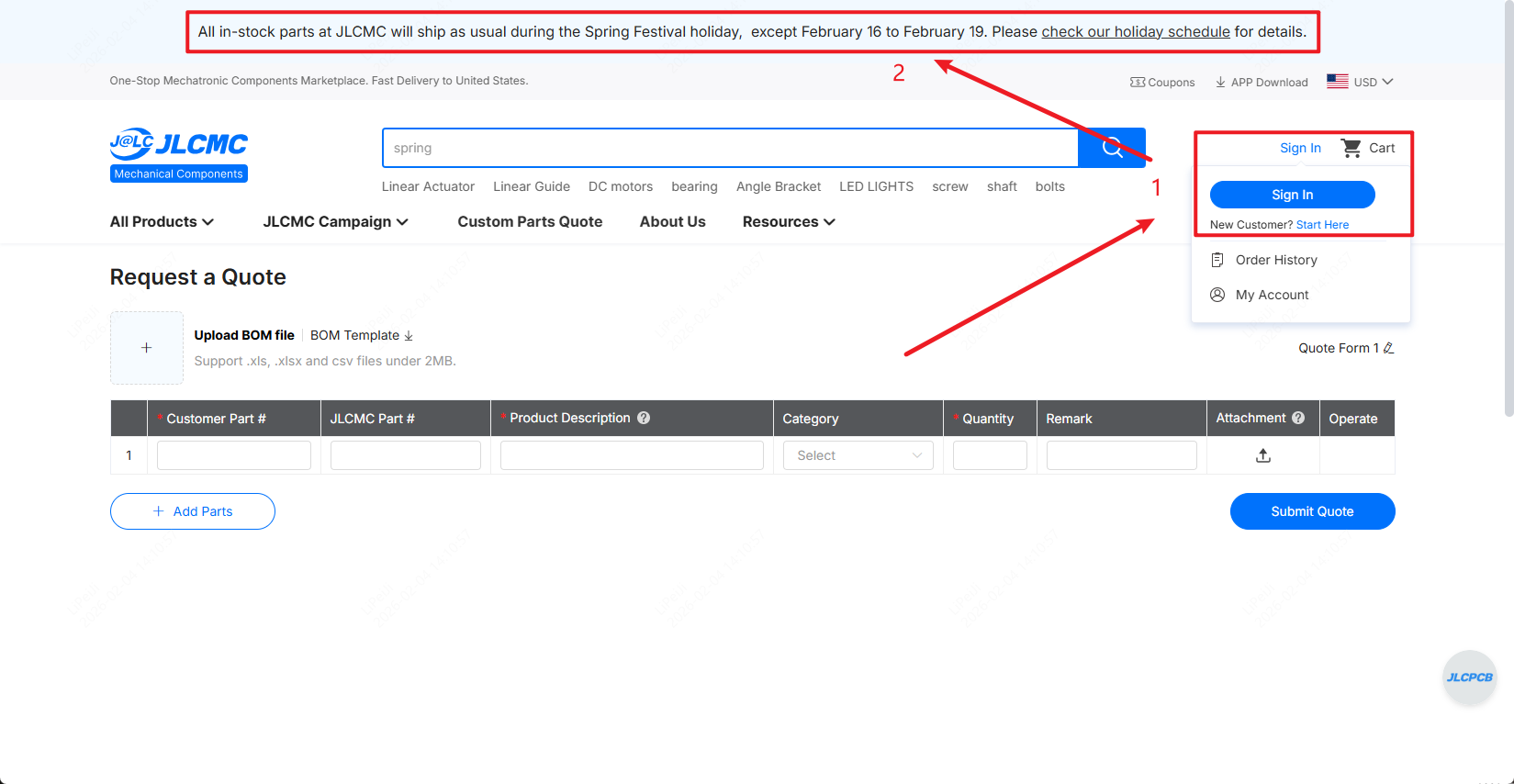
Login and Registration Location and Holiday Notice
1. BOM Upload
Use this function to upload your complete requirement spreadsheet in one action, saving you time from manual entry.
How to use:
1. Click the "BOM Template" button to download our standardized Excel template.
2. Open the downloaded template and fill in the required part details, such as part numbers, quantities, and specifications.
3. Save the completed template on your computer.
4. Click the "Upload BOM" button.
5. Select your filled file from your computer.
6. The system will automatically map and fill in available data.
Requirements: We support files under 2MB in .xls, .xlsx, or .csv formats. Please ensure your data aligns with the template columns for faster processing.
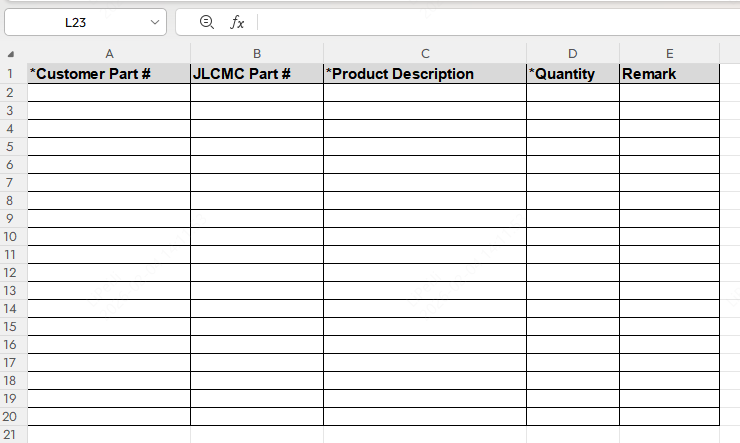
BOM Template Content Demonstration
2. Customer Parts (Required)
Enter the manufacturer part number or the benchmark model you are currently using to help us understand your specifications.
3. JLCMC Parts
Provide the model number of an existing JLCMC product if you are seeking a variant or replacement.
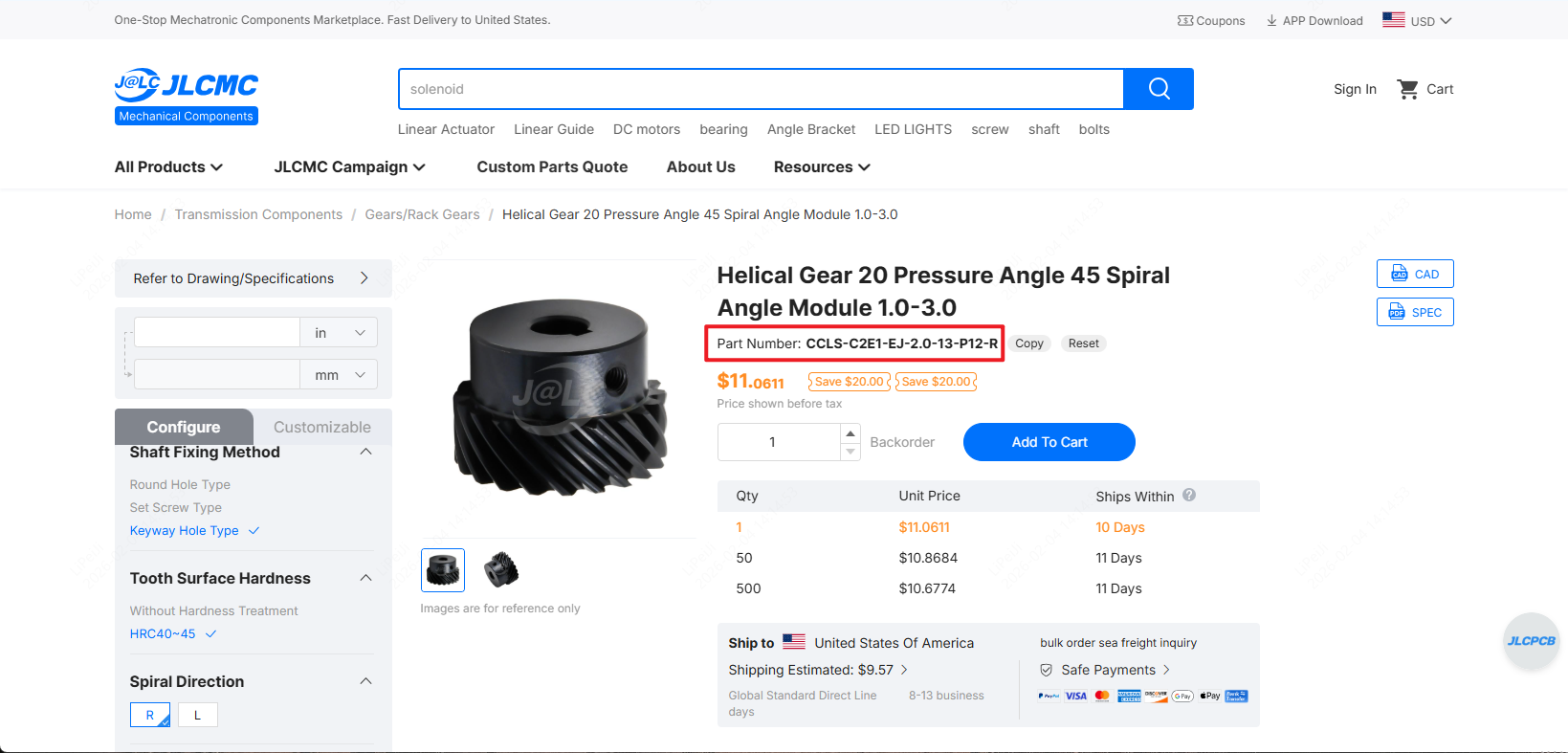
How to Find JLCMC Product Numbers
4. Production Description (Required)
Provide detailed technical and production requirements for your desired product.
Include information such as:
· Manufacturing process
· Technical specifications & tolerances
· Material type/finish
5. Category
Select the product category from JLCMC's official website that best matches your item.
· Purpose: Ensures your request is directed to the correct engineering team.
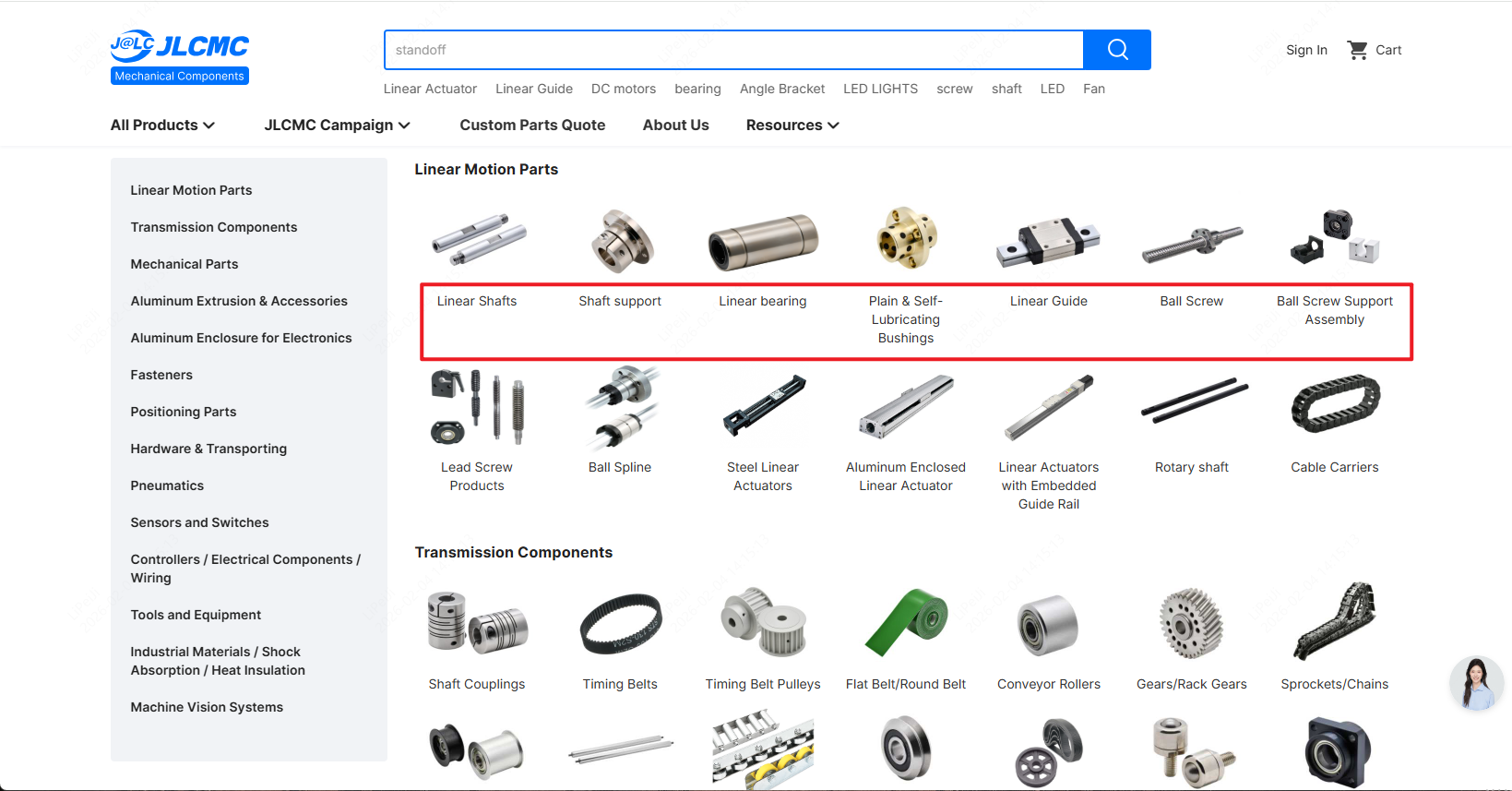
How to Find JLCMC Product Categories
6. Quantity
Enter the total number of units you wish to quote for.
7. Remark
Add any additional notes or special instructions you want our team to consider, examples:
· Project timeline/urgency
· Preferred shipping method
· Questions about capabilities or materials
8. Attachment
Upload supporting files to provide clearer specifications.
Accepted file types include:
· Technical drawings (.dwg, .step, .pdf)
· Datasheets
· Images or sketches
· Reference standards or documents
9. Operate
If you have multiple line items (more than one form), you can use the "Delete" icon to remove specific rows.
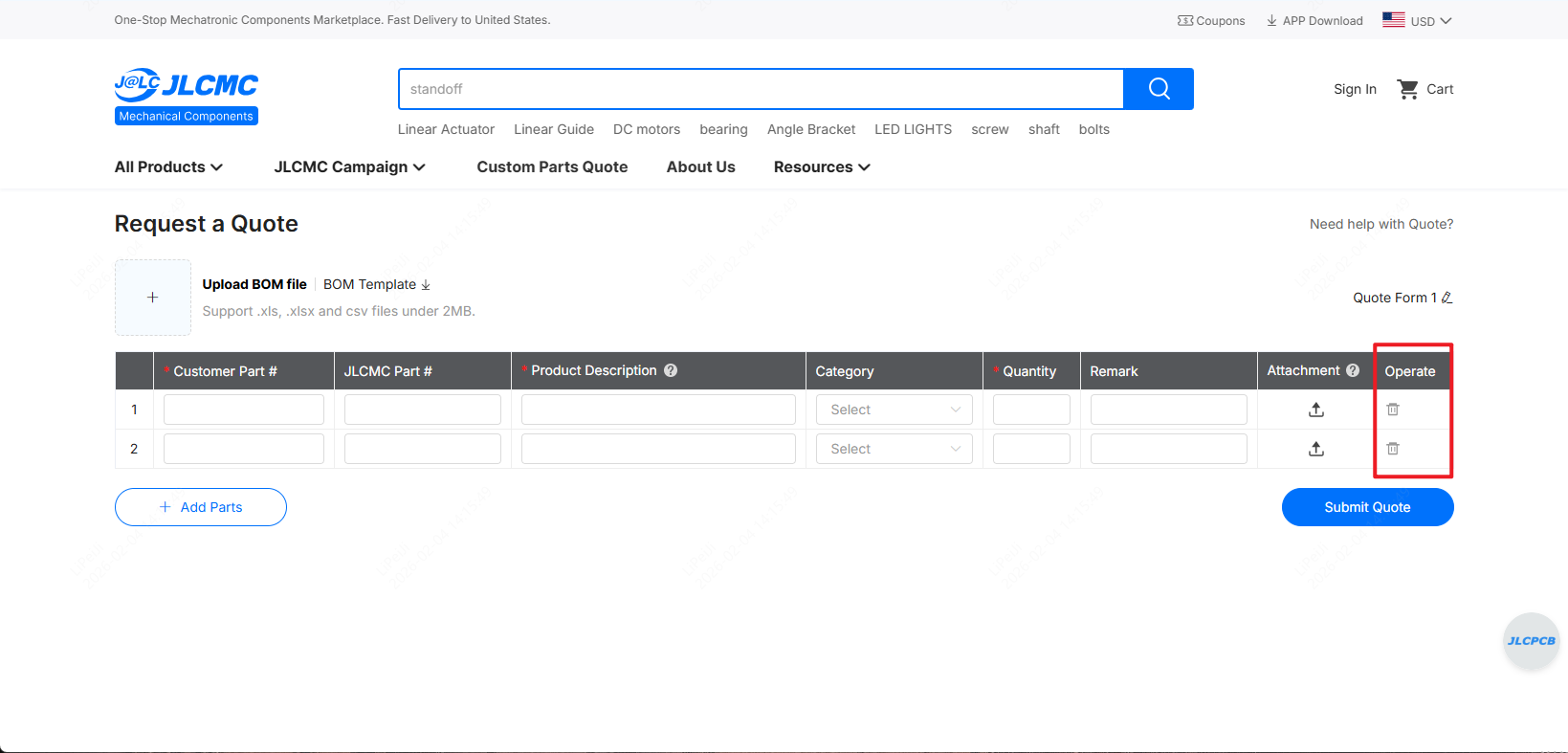
Display of Operational Button Locations
10. Submit Quote
Once all information is complete and accurate, click the "Submit Quote" button to send your request to JLCMC.
What to expect after submission:
· You will receive an automated email acknowledgment.
· Our team will review your request within 1–2 business days (excluding holidays).
· A dedicated representative will contact you to discuss the next steps.
Frequently Asked Questions (FAQ)
How can I view my quote history?
Please log in to your quote account and find "Quote History" in the dropdown menu under "My Account" at the top right corner of the JLCMC homepage to view your quote history.
How can I name my quote form?
On the Custom Parts Quote page, locate the text "Quote Form 1" where you can name your current quote form.
Do I only have the option to place bulk orders for custom parts?
No, this feature supports any bulk quote requests, including both custom and non-custom parts.
Need Assistance?
If you have any questions or need support while using the BOM Upload feature, please reach out to us:
Email: support@jlcpcb.com
Phone: +86 755 2391 9769
Thank you for choosing JLCMC. We look forward to supporting your projects!
The JLCMC Team