How to Place a Reorder on JLCMC
Last updated on Feb 09, 2026
To assist users in efficiently restocking components, our team (JLCMC) provides a process that simplifies inventory management. By following the steps outlined below, users can quickly and effortlessly place repeat orders, ensuring a hassle-free restocking experience.
This feature also allows users to reorder previous 'custom parts quote' requests. If you're not familiar with this feature or the ordering process, please refer to our 'How to Use the Custom Parts Quote Feature' help document.
Function Prerequisites:
- A registered JLCMC account.
- At least one previously completed or processed order in your account history.
Reordering Process
1. Sign In: Log in to your JLCMC account with your registered email and password.
2. Access Your Account: Hover over the "My Account" icon located at the top right corner of the JLCMC homepage.
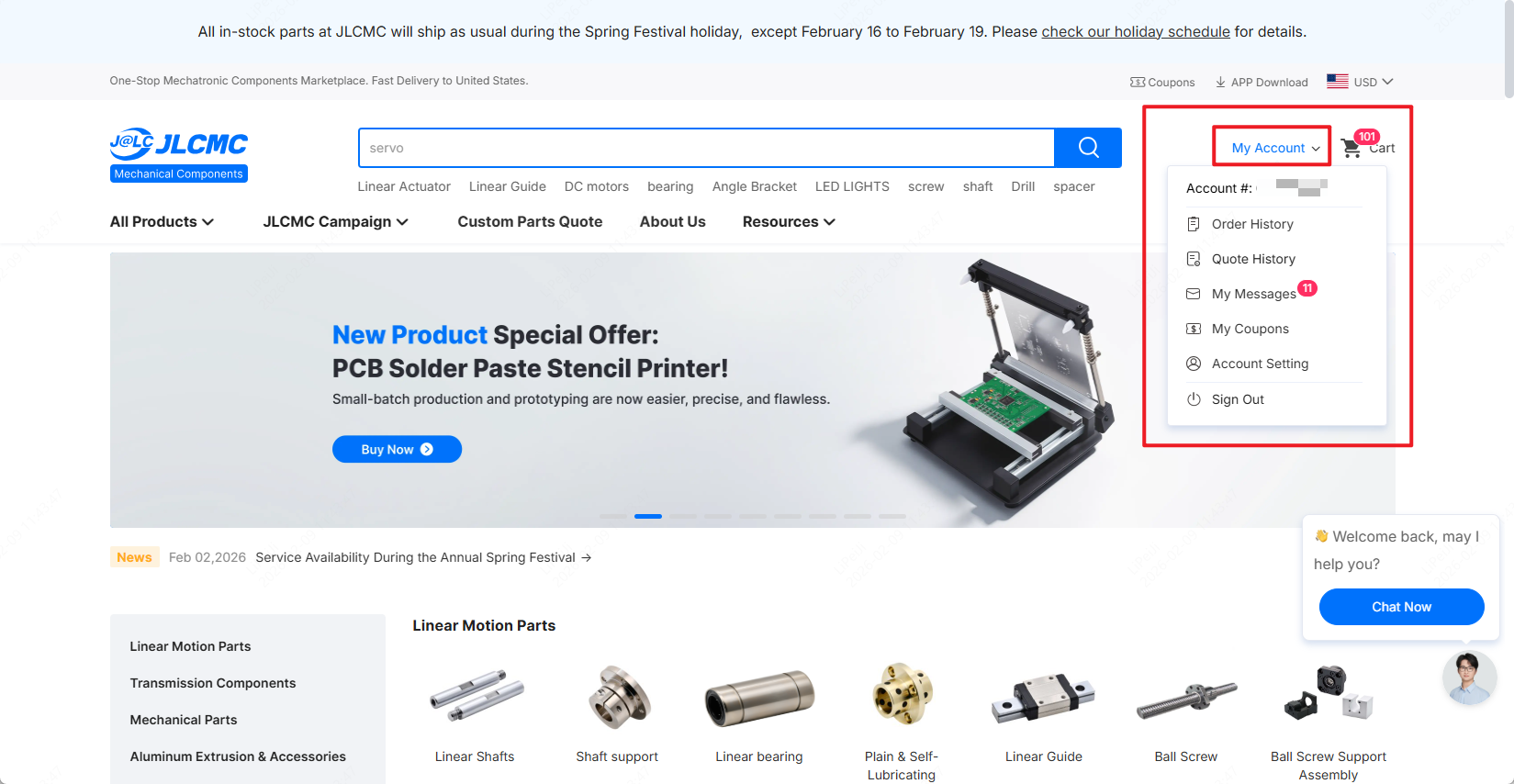 The diagram shows the location of "My Account" on the JLCMC homepage
3. Navigate to Order History: Select "Order History" from the dropdown menu.
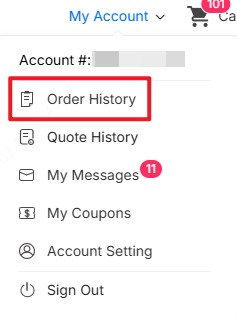
The "Order History" in the dropdown menu
4. Initiate Reorder: Browse your previous orders and find the one you wish to replicate. Then, click the "Reorder" button next to it. During this process, you can select individual products for reordering or use the "All" feature to quickly choose multiple products for batch reordering.
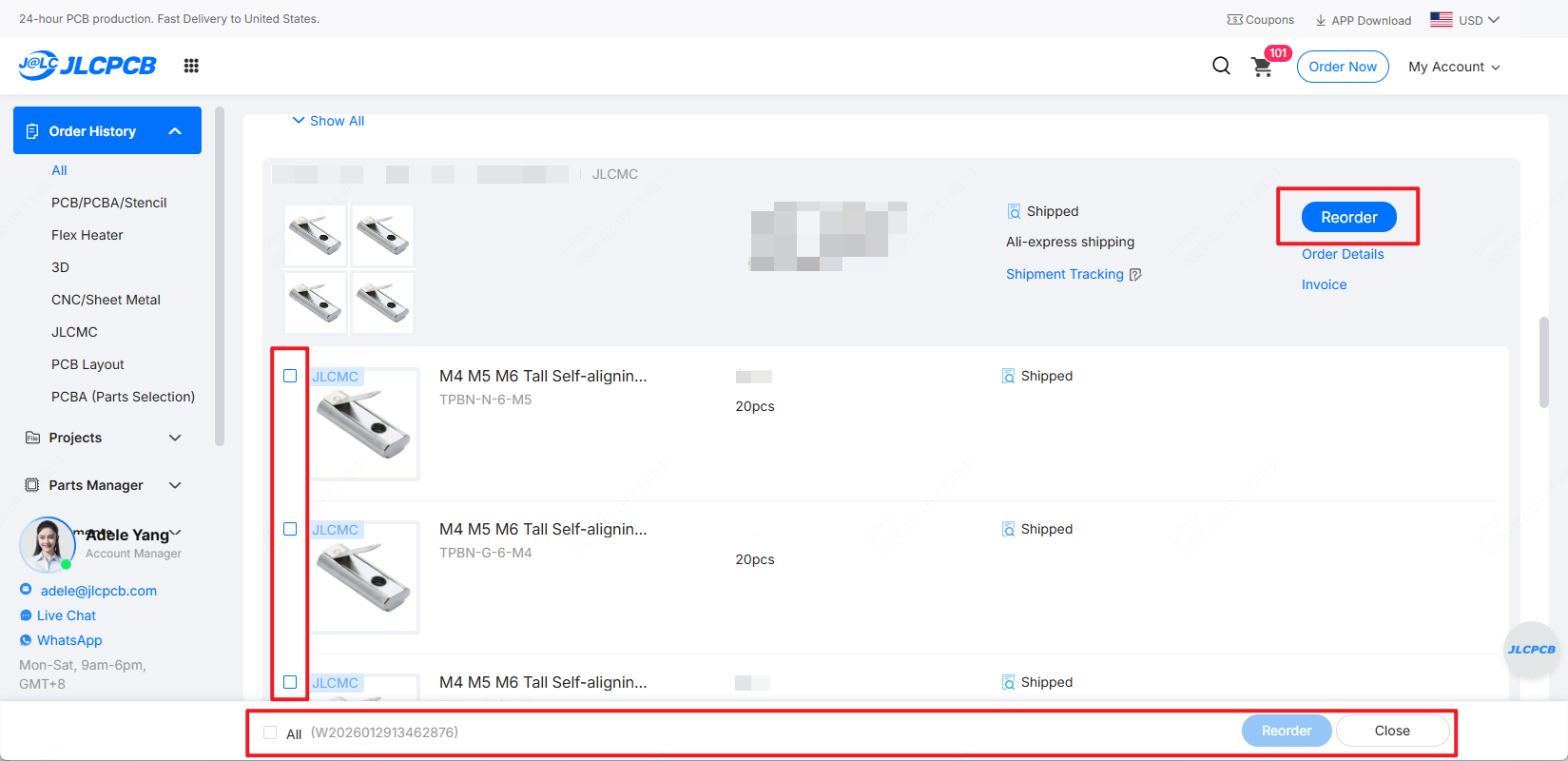
The steps for reordering
5. Review in Cart: The system will automatically add the items to your shopping cart. A notification will appear indicating how many items were successfully added.

The confirmation message for successfully reordering
6. Checkout: Go to your shopping cart, verify the quantities and specifications, and proceed to payment.
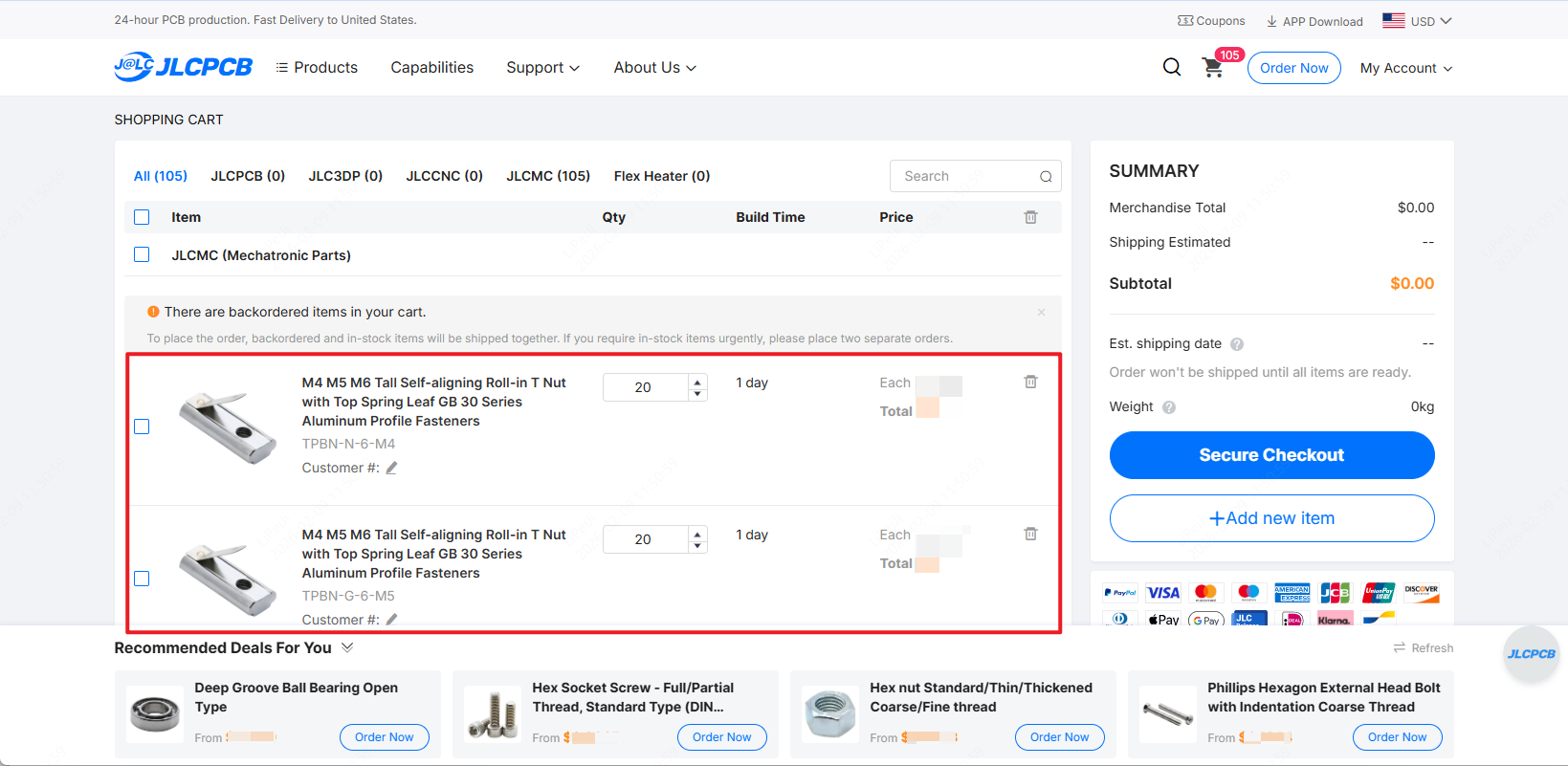
The reordered products are displayed in the shopping cart
Frequently Asked Questions (FAQ)
Which items can I reorder?
You can reorder any items that are currently in stock and active on our website.
Will the price remain the same as my original order?
Not necessarily. Due to fluctuations in raw material costs, labor, and exchange rates, our pricing is updated in real-time. When you click "Reorder," the items in your cart will display the current market price rather than the historical price.
How do reorders work for Custom Quoted parts?
When you click "Reorder" for an item involving a custom quote, our system automatically checks the status of that quote:
- If the Quote is Valid: The item will be added directly to your cart with the existing quote pricing.
- If the Quote has Expired: You will be redirected to the Custom Parts Quote page with your previous specifications pre-filled. Simply resubmit the request, and our team will provide a fresh quote based on current market conditions.
Need Assistance?
If you encounter any issues while trying to reorder, please feel free to reach out to our support team:
Email: support@jlcpcb.com
Phone: +86 755 2391 9769
Once again, thank you for choosing JLCMC Mechanical Components as your long-term partner or supplier.
The JLCMC Team