Explore Barcode Scanner Types: Technology, Form Factor, and Practical Uses
24 min
- Main Types of Barcode Scanners by Technology
- Types of Barcode Scanners by Barcode Compatibility
- Types of Barcode Scanners by Device Form Factor
- Types of Barcode Scanners by Connectivity
- Barcode Scanners by Industry and Work Environment
- Advantages and Disadvantages of Different Barcode Scanner Types
- Barcode Scanner Types Comparison Table
- How to Choose the Right Barcode Scanner
- Emerging Trends in Barcode Scanning Technology
- Frequently Asked Questions About Barcode Scanners
If you have ever stood in a checkout line, watched a warehouse worker pull items from shelves, or seen a nurse scan a patient's wristband, you have witnessed barcode scanning in action. It is one of those technologies that has become so integrated into routine workflows that most people rarely think about what is actually happening when that red light flashes across a label.
But for the people responsible for choosing, implementing, or maintaining these systems, the differences between scanner types matter a great deal. The wrong choice can mean slower operations, more errors, frustrated employees, and unnecessary costs. The right choice can make a workflow almost invisible, smooth enough that people forget the technology is even there.
This guide is written for anyone who needs to understand barcode scanners beyond the surface level. Whether you are equipping a new retail store, upgrading a warehouse, or simply trying to figure out why your current scanners are not performing the way you expected, the sections that follow should give you a clear picture of what is available and how to think about your options.
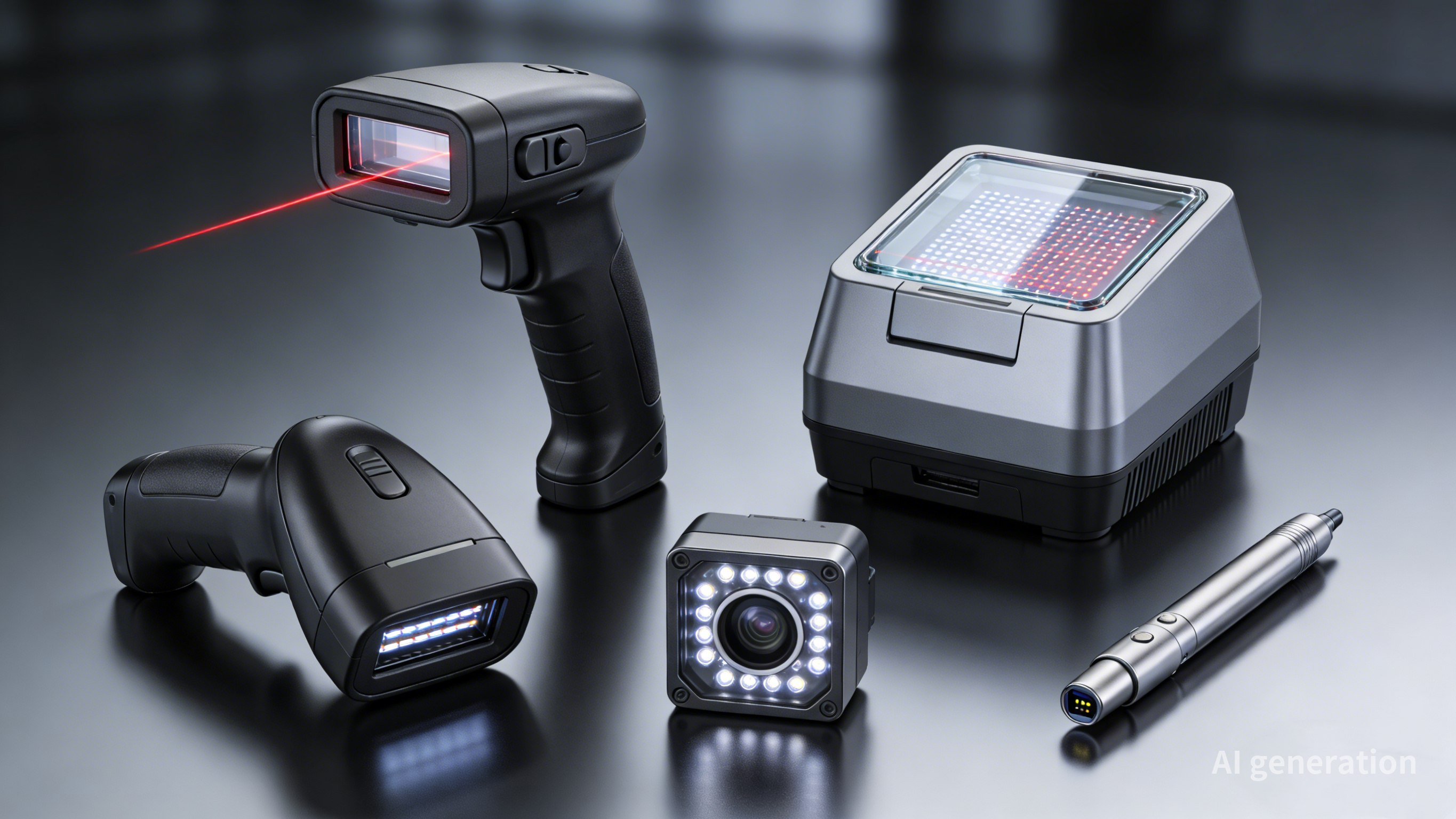
Main Types of Barcode Scanners by Technology
Laser Barcode Scanners
Technology Overview
Laser scanners were the first widely adopted barcode scanning technology and remain common today. They work by projecting a laser beam onto the barcode and measuring the reflected light. A moving mirror or rotating prism sweeps the laser beam across the barcode, creating the scanning line you see.
Advantages
Laser scanners excel at reading 1D barcodes from a distance. A good laser scanner can read a standard UPC code from several feet away, which makes them useful in applications where the operator cannot get close to the item being scanned. They also perform well in bright light conditions where some imagers struggle.
Another advantage is their precision. The narrow laser beam can read very small barcodes or barcodes on curved surfaces where broader illumination might cause problems. And because laser technology is mature, laser scanners tend to be inexpensive compared to imagers with similar capabilities.
Limitations
The biggest limitation of laser scanners is that they can only read 1D barcodes. They cannot read 2D codes like QR codes or Data Matrix codes, which are increasingly common. This alone is pushing many organizations toward image-based solutions.
Laser scanners also have moving parts, the oscillating mirror or prism that sweeps the beam. These parts can wear out or become misaligned, especially in rough handling environments. And while they work well at a distance, they typically require the barcode to be reasonably flat and presented at a favorable angle.
Typical Applications
You will find laser scanners in retail point-of-sale systems, where their ability to read from a distance is useful for scanning large items in shopping carts. They are likewise present across many light industrial applications and office environments where 1D barcodes are standard and 2D codes are not needed.
CCD (Linear Imager) Barcode Scanners
Technology Overview
CCD scanners—often described as linear imagers—represent a bridge between laser scanners and full 2D imagers. Like laser scanners, they are designed primarily for 1D barcodes. But instead of using a laser and moving mirror, they use a linear array of photodetectors to capture an image of the barcode.
The CCD array works like a tiny fax machine, capturing the light and dark pattern of the barcode as the scanner is moved across it or the item is passed in front of it. This image-based approach gives CCD scanners some advantages over pure laser systems.
Advantages
CCD scanners have no moving parts, which makes them more durable than laser scanners in rough environments. They can also read barcodes from screens, smartphone displays, and other reflective surfaces that can confuse laser scanners. This allows them to work well in tasks involving digital coupons or mobile tickets.
They are typically less expensive than 2D imagers while offering better durability than laser scanners. For operations that only need 1D barcode reading, a CCD scanner can be a practical middle-ground choice.
Limitations
Like laser scanners, CCD scanners cannot read 2D barcodes. They also have a relatively short read range, typically requiring the barcode to be within a few inches of the scanner window. This may create limitations in some use cases.
CCD scanners can also struggle with very wide barcodes because their field of view is limited by the length of the CCD array. And while they work well on screens, they may not match the performance of laser scanners in bright sunlight or on certain glossy surfaces.
Typical Applications
CCD scanners are popular in retail environments where durability is a concern, such as convenience stores and similar high-traffic locations, where scanners get heavy use. They are also used in library systems, document tracking, and other applications where 1D barcodes are standard and scanning distance is not critical.
2D Area Imager Barcode Scanners
Imaging Technology Explained
2D area imagers work like tiny digital cameras. They capture a complete image of the area in front of the scanner and then use software to locate and decode any barcodes present in that image. This approach is fundamentally different from laser or CCD scanning, which reads barcodes as a line of data.
The imaging sensor is typically a CMOS chip similar to those found in smartphone cameras, though optimized for barcode reading rather than photography. The scanner illuminates the target area with LEDs and captures an image, then sophisticated decoding algorithms find and interpret any barcodes in the frame.
Advantages
The ability to read 2D barcodes is the most obvious advantage. QR codes, Data Matrix codes, and similar 2D formats can encode much more information than 1D barcodes and include error correction that allows them to be read even when partially damaged. Many industries are moving to 2D codes specifically for these benefits.
2D imagers can also read barcodes in any orientation. When using a laser scanner, you need to align the scan line with the barcode. An imager captures the whole scene and can decode barcodes that are sideways, upside down, or at any angle. This omnidirectional capability makes scanning faster and easier for operators.
Additionally, 2D imagers can capture images beyond just barcodes. They can photograph damaged packages, document conditions, or capture signatures. This multi-functionality can be valuable in logistics and delivery applications.
Limitations
2D imagers are usually priced higher than laser or CCD scanners, though prices have come down significantly. They also demand greater processing capacity for image decoding, which can affect battery life in wireless models.
While they work well in most lighting conditions, very bright direct sunlight can sometimes interfere with the LED illumination. And although they can read from greater distances than CCD scanners, they may not match the range of a good laser scanner for 1D codes.
Typical Applications
2D imagers are becoming the default choice for new deployments. They are standard in healthcare for reading 2D barcodes on medications and patient wristbands. Manufacturing uses them for component tracking with Data Matrix codes. Retail is adopting them to handle both traditional 1D codes and newer 2D formats. Any application that might encounter 2D barcodes should use a 2D imager.
Camera-Based Barcode Scanners
Mobile Device Scanning
The phone in your pocket is actually a capable barcode scanner. The camera can capture barcode images, and various apps can decode them. This has created an entirely new category of scanning solutions that leverage devices people already carry.
Mobile scanning works best in situations where dedicated scanners are impractical or unnecessary. Field service technicians can scan equipment tags to pull up maintenance records. Delivery drivers can scan packages without carrying separate devices. Consumers can scan product codes to compare prices or access information.
Software-Based Scanning Solutions
The software that enables mobile scanning has become quite sophisticated. Modern barcode scanning SDKs can decode barcodes quickly and accurately from camera images, even in challenging conditions. These SDKs can be integrated into custom apps or used through standalone scanning applications.
Some solutions use the device's camera for occasional scanning while maintaining a connection to backend systems for data lookup and transaction processing. Others are designed for more intensive scanning operations, with optimized interfaces and continuous scanning modes.
Advantages and Limitations
The main advantage of mobile scanning is convenience. No additional hardware to buy, carry, or maintain. Updates happen through app stores. Everyone already knows how to use their phone. For light scanning needs, this simplicity is compelling.
But smartphones are not dedicated scanning devices. They are slower than purpose-built scanners, especially for high-volume operations. They lack the ergonomic design of handheld scanners, which matters when you are scanning hundreds of items. They are also more fragile and expensive to replace if broken in an industrial environment.
Battery life may become a concern during all-day scanning operations. And while camera scanning has improved dramatically, it still does not match the speed and reliability of dedicated imagers in demanding conditions.
Types of Barcode Scanners by Barcode Compatibility
1D Barcode Scanners
One-dimensional barcodes are the classic linear patterns most people picture when they think of barcodes. They encode data by varying the widths and spacing of parallel lines. UPC codes on grocery items, Code 39 used in industrial applications, Code 128 for shipping labels, these are all 1D formats.
Common 1D Barcode Formats
UPC and EAN are the retail standards, encoding product identifiers that link to pricing and inventory systems. Code 128 is widely used in logistics because it can encode all ASCII characters and offers high density. Code 39 is common in industrial and military applications for its simplicity and reliability. Interleaved 2 of 5 sees use in warehouse and distribution environments.
Typical Business Use Cases
1D barcodes remain the workhorse of retail and logistics. They are simple, reliable, and universally supported. Any application that only needs to encode a product ID, order number, or similar identifier can work perfectly well with 1D codes. The infrastructure is mature, the scanners are inexpensive, and everyone understands how to use them.
2D Barcode Scanners
Two-dimensional barcodes encode data in patterns of squares, dots, or other shapes arranged in a grid. Unlike 1D codes, which can only be read horizontally, 2D codes can be read from any angle. They also offer much higher data capacity and built-in error correction.
Common 2D Barcode Formats
QR codes are the most visible 2D format, recognizable by their distinctive square shape with position markers in three corners. They have become ubiquitous in marketing, payments, and consumer applications. Data Matrix codes are more compact and more compact, making them popular for marking small parts in manufacturing and electronics. PDF417 is used for applications requiring large data capacity, like shipping labels and identification documents.
Industries That Require 2D Barcodes
Healthcare has adopted 2D codes for medication tracking and patient identification. The FDA's Unique Device Identification regulations require medical devices to carry 2D Data Matrix codes. Manufacturing uses 2D codes for component traceability, especially for small parts where space is limited.
Aerospace and defense industries have long used 2D codes for part marking. The electronics sector makes extensive use of Data Matrix for labeling tiny components. And any application requiring URLs, contact information, or other complex data in a scannable format will use QR codes.
Types of Barcode Scanners by Device Form Factor
Handheld Barcode Scanners
The handheld form factor is what most people picture: a pistol-grip device with a trigger. This design has persisted because it works well. The operator points the scanner at the barcode, pulls the trigger, and the scanner beeps to confirm a successful read.
Handheld scanners are versatile. They can operate with or without a stand. They work for scanning items on shelves, in carts, or on conveyor belts. The pistol grip is comfortable for extended use, and the trigger gives the operator control over when scanning occurs.
Wireless Barcode Scanners
Wireless handheld scanners cut the cord, giving operators freedom to move. They connect to base stations or directly to host systems via Bluetooth or proprietary wireless protocols. The base station typically handles charging as well as communication.
The range varies by technology. Bluetooth scanners typically work within 30 feet of their base. Proprietary systems can extend much further, some up to 300 feet or more. This range allows warehouse workers to scan items on high shelves or in distant corners without carrying the items back to a fixed station.
Battery life is a key consideration for wireless scanners. Most are designed to last a full shift, but heavy use can drain batteries faster. Cradles that charge between scans help extend effective operating time.
Fixed-Mount Barcode Scanners
Fixed-mount scanners are installed in stationary positions and trigger automatically when items pass in front of them. They commonly appear at supermarket checkout counters, on conveyor belts in distribution centers, and at security checkpoints.
These scanners are all about throughput. They eliminate the need for an operator to aim and trigger, speeding up high-volume scanning operations. They can be positioned to catch barcodes from multiple angles, ensuring reads regardless of how items are oriented.
Installation requires some planning. The scanner needs to be positioned at the right height and angle, with appropriate lighting and spacing for the items being scanned. But once set up, fixed-mount scanners can operate with minimal human intervention.
Presentation Barcode Scanners
Presentation scanners are a type of fixed-mount scanner designed for countertop use. They sit on a counter and read barcodes presented in front of them. The classic example is the omnidirectional scanner at supermarket checkout, the boxy device with the glass window on top.
These scanners project multiple scan lines in various directions, creating a field of scanning coverage. An operator simply passes an item over the window, and the scanner reads the barcode regardless of orientation. This makes them very fast for retail checkout where speed matters.
Wearable Barcode Scanners
Wearable scanners free up both hands. They come in several forms: ring scanners that fit on a finger, glove-mounted scanners, and wrist-worn units. These are designed for applications where the operator needs to handle items while scanning.
Warehouse picking is a prime application. A worker can scan items as they pull them from shelves without having to pick up and put down a handheld scanner. This might save only a few seconds per pick, but multiplied across thousands of picks per day, the time savings add up.
Wearable scanners typically connect wirelessly to a host device, which might be a wrist-worn computer, a voice-picking system, or a mobile computer in a holster. The integration between scanner and host system is important for smooth operation.
Types of Barcode Scanners by Connectivity
USB Barcode Scanners
USB is the most common connection type for wired scanners. USB scanners are plug-and-play, they appear to the computer as keyboards, sending barcode data as keystrokes. This means they work with virtually any software that accepts text input, without requiring special drivers or configuration.
USB provides both data connection and power, so no separate power supply is needed. Cables are standardized and inexpensive to replace if damaged. The main limitation is cable length, typically around 6 feet, which constrains how far the operator can move from the computer.
Bluetooth Barcode Scanners
Bluetooth scanners pair with computers, tablets, or smartphones just like Bluetooth keyboards or headsets. They offer cable-free convenience with a typical range of about 30 feet. This is enough for many retail and light industrial applications.
Pairing is generally straightforward, though the process varies by device. Once paired, the scanner maintains its connection and reconnects automatically when in range. Battery life is a consideration, most Bluetooth scanners are designed for a full workday, but heavy use will drain the battery faster.
WiFi Barcode Scanners
WiFi scanners connect directly to wireless networks, giving them much greater range than Bluetooth. A scanner can communicate with servers anywhere on the network, not just within Bluetooth range of a paired device. This makes WiFi suitable for large warehouses and facilities where operators need to roam widely.
WiFi scanners require network configuration, SSID, security settings, and possibly IP configuration. This adds complexity to deployment but offers flexibility in return. They may also cost more than Bluetooth models, and network congestion or weak signals can affect performance.
Serial (RS232) Barcode Scanners
Serial connections are the old standard, largely replaced by USB in new installations. But many legacy systems still use RS232, and some industrial equipment only offers serial interfaces. Serial scanners require configuration to match the host system's baud rate and protocol settings.
The advantage of serial is reliability and simplicity at the protocol level. The disadvantage is the need for serial ports, which are rare on modern computers, or USB-to-serial adapters, which add complexity. For new deployments, USB or wireless are almost always better choices.
Barcode Scanners by Industry and Work Environment
Retail Barcode Scanners
Retail environments have specific requirements. Scanners need to be fast, because checkout speed directly affects customer satisfaction and labor costs. They need to handle frequent use, often by operators with minimal training. And they need to be presentable, sitting on counters where customers see them.
Presentation scanners dominate at checkout because they are the fastest option. Handheld scanners serve for backup and for scanning large items that cannot be lifted onto the counter. Retail scanners prioritize speed and ease of use over ruggedness, though durability still matters given the daily transaction volumes.
Warehouse and Logistics Barcode Scanners
Warehouses are demanding environments. Scanners get dropped, bumped, and exposed to dust and temperature variations. They need to read barcodes at various distances, from items on high shelves to packages on the floor. And they need to maintain connectivity across large spaces.
Wireless handheld and wearable scanners are common in warehouses. They offer the mobility needed to move through aisles and the durability to survive rough handling. Long-range wireless connectivity, whether through WiFi or proprietary protocols, is essential for maintaining communication across large facilities.
Healthcare Barcode Scanners
Healthcare has unique requirements centered on patient safety. Scanners must be able to read the small, high-density barcodes used on medication labels and patient wristbands. They need to be easily disinfected, with smooth surfaces that can be wiped down with cleaning solutions.
Cordless scanners are preferred to avoid trip hazards and allow flexibility in patient rooms. 2D imagers are increasingly standard because of the 2D barcodes used in pharmaceutical tracking. And healthcare scanners are often white or light-colored to show cleanliness, a visual cue that matters in medical settings.
Manufacturing and Industrial Barcode Scanners
Manufacturing environments can be harsh. Scanners face oil, grease, metal shavings, and temperature extremes. They need to read small Data Matrix codes on components and survive drops onto concrete floors. Reliability is critical, downtime on a production line is expensive.
Industrial scanners are built for these conditions. They have rugged housings, protective seals against dust and liquids, and components rated for wide temperature ranges. Fixed-mount scanners are common on production lines, while handheld units serve quality control and inventory applications.
Rugged Barcode Scanners for Harsh Environments
Rugged scanners are a category unto themselves, designed for conditions that would destroy consumer-grade devices. They meet military standards for drop resistance, often surviving multiple drops onto concrete from six feet. They are protected against dust and water, with IP ratings that specify the level of protection.
These scanners cost more, but the cost of downtime and replacement in harsh environments justifies the investment. They are essential in outdoor applications, cold storage facilities, and any environment where standard scanners would fail prematurely.
Advantages and Disadvantages of Different Barcode Scanner Types
Choosing the right scanner type involves trade-offs. Here is how the primary categories compare across key factors.
Laser Scanners
Laser scanners offer excellent range for 1D barcodes and perform well in bright light. They are relatively affordable and have a long track record of reliability. The downsides are their inability to read 2D codes, moving parts that can wear out, and limited omnidirectional capability. They make sense for retail POS and other 1D-only applications where range matters.
CCD Scanners
CCD scanners provide solid 1D reading without moving parts, making them more durable than lasers. They can read from screens and work well in most indoor environments. But they are limited to 1D codes and short read ranges. They are a good choice for retail and light industrial use where durability is a concern but 2D codes are not needed.
2D Imagers
2D imagers are the most versatile option. They read all barcode types, in any orientation, and can capture images beyond just barcodes. They have no moving parts and work well on screens. The trade-offs are higher cost and potentially shorter battery life in wireless models. For most new deployments, 2D imagers are the default recommendation.
Fixed Scanners
Fixed-mount and presentation scanners maximize throughput in high-volume operations. They free operators from aiming and triggering, speeding up repetitive scanning. However, they need installation and are not portable. They excel at checkout counters and on conveyor systems where volume justifies the setup effort.
Wireless Scanners
Wireless scanners offer mobility at the cost of battery management. They eliminate cable clutter and let operators move freely. Range varies by technology from Bluetooth's 30 feet to WiFi's hundreds of feet. They are essential for warehouse operations and useful anywhere mobility matters.
Barcode Scanner Types Comparison Table
The following table summarizes the key characteristics of different barcode scanner types.
| Scanner Type | Technology | Barcode Types | Scan Range | Mobility | Durability | Cost |
| Laser | Laser/Mirror | 1D only | Long | Wired/Wireless | Moderate | $50 – $200 |
| CCD | Linear Imager | 1D only | Short | Wired/Wireless | Good | $30 – $120 |
| 2D Imager | Area Imager | 1D & 2D | Medium | Wired/Wireless | Good | $120 – $500 |
| Fixed-Mount | Laser/Imager | 1D & 2D | Variable | Fixed | Very Good | $200 – $1,000+ |
| Presentation | Omnidirectional | 1D & 2D | Short | Fixed | Good | $150 – $400 |
| Wearable | Imager | 1D & 2D | Short | Hands-free | Good | $300 – $900 |
| Rugged | Laser/Imager | 1D & 2D | Variable | Wireless | Excellent | $500 – $1,500+ |
Choosing between cost and quality? JLCMC provides professional-grade scanners at transparent prices. Consult our experts to find the best total cost of ownership for your business.
How to Choose the Right Barcode Scanner
Selecting a barcode scanner involves working through a series of questions about your specific needs. Here is a step-by-step approach.
Step 1: Determine the Barcode Type
Start by identifying what types of barcodes you need to read. If you only encounter 1D codes, a laser or CCD scanner might suffice. But if 2D codes are present or likely to be adopted in the future, a 2D imager is the better choice. The small premium for 2D capability is usually worth the future-proofing.
Step 2: Evaluate Scanning Distance
Consider the distance between the scanner and the barcodes. Close-range scanning, a few inches, works with any technology. Medium range, one to two feet, is comfortable for most handheld operations. Long range, several feet or more, favors laser scanners or specialized long-range imagers. Think about the typical and maximum distances you will encounter.
Step 3: Consider the Working Environment
The environment affects durability requirements. An office or retail setting can use standard scanners. Warehouses need more rugged devices. Outdoor or industrial environments demand fully rugged units with appropriate IP ratings. Also consider temperature extremes, exposure to liquids or chemicals, and the likelihood of drops.
Step 4: Select Connectivity Options
Choose between wired and wireless based on mobility needs. If the operator stays at a fixed station, USB is simple and reliable. If they need to move, consider Bluetooth for shorter ranges or WiFi for longer distances. Also think about what devices the scanner will connect to and what interfaces they support.
Step 5: Compare Cost and Durability
Finally, balance cost against durability and features. The cheapest scanner that meets your technical requirements might cost more in the long run if it fails frequently. Consider the total cost of ownership, including replacement, downtime, and maintenance. Sometimes spending more upfront saves money over the equipment's lifespan.
Emerging Trends in Barcode Scanning Technology
AI-Enhanced Barcode Recognition
Artificial intelligence is improving barcode decoding. Machine learning algorithms can read damaged, wrinkled, or poorly printed barcodes that would defeat traditional decoders. They can also identify barcodes more quickly in complex scenes with multiple codes or cluttered backgrounds.
This technology is appearing in both dedicated scanners and software solutions. As it matures, we can expect scanners to handle increasingly challenging conditions without requiring operator adjustments.
Smartphone-Based Scanning Systems
Smartphones continue to get better at scanning. Better cameras, faster processors, and improved software are closing the gap with dedicated scanners for many applications. Enterprise solutions that turn smartphones into scanning devices are becoming more common, offering a middle ground between consumer apps and industrial scanners.
These systems typically involve a specialized scanning app and often a sleeve or attachment that adds a trigger and improved optics. They leverage the phone's connectivity and computing power while adding scanning-specific hardware features.
Computer Vision and Smart Cameras
The line between barcode scanners and machine vision systems is blurring. Smart cameras can read barcodes while also performing other inspection tasks: verifying label placement, checking package integrity, or identifying product types. This integration of multiple functions into single devices can simplify system architecture and reduce hardware costs.
Integration with Warehouse Automation
Barcode scanning is increasingly integrated with automated warehouse systems. Scanners on autonomous mobile robots verify picks and update inventory as they work. Fixed scanners on conveyor systems trigger sortation decisions. The scanners become nodes in a larger automated system rather than standalone devices operated by humans.
This trend is driving demand for scanners with better network integration, faster data transmission, and the ability to operate with minimal human intervention. The scanners of tomorrow will be designed as components of intelligent systems rather than just input devices.
Frequently Asked Questions About Barcode Scanners
What are the most common types of barcode scanners?
The most common types are handheld scanners (both wired and wireless), presentation scanners used at retail checkout, and fixed-mount scanners for conveyor systems. By technology, 2D imagers are becoming the default choice for new deployments, though laser scanners remain common in retail.
What is the difference between 1D and 2D barcode scanners?
1D scanners can only read linear barcodes like UPC and Code 128. 2D scanners can read both linear and 2D codes like QR codes and Data Matrix. 2D scanners use imaging technology rather than laser or CCD line scanning, giving them omnidirectional reading capability and the ability to capture images.
Are laser barcode scanners still widely used?
Yes, laser scanners are still common, particularly in retail point-of-sale systems where their long read range is useful. However, they are gradually being replaced by 2D imagers in many applications because imagers can read all barcode types and have no moving parts.
Which barcode scanner is best for inventory management?
For inventory management, wireless 2D imagers are generally the best choice. The wireless capability allows mobility through warehouses and stockrooms. The 2D capability ensures compatibility with all barcode types. Look for models with good battery life and the ability to operate in batch mode if network connectivity is spotty.
What barcode scanners work best in warehouses?
Warehouse environments demand rugged wireless scanners with long-range connectivity. Look for devices with drop resistance ratings, IP ratings for dust and water protection, and either WiFi or long-range proprietary wireless. 2D imagers are recommended for versatility, and ergonomic design matters for all-day use.
Keep Learning
The Essence of Barcode Symbology: A System of Data Encoding Rules
Introduction Most people only notice barcodes when something moves through a checkout counter or gets sorted in a warehouse. It's a quick flash of light, sometimes a beep, and then the moment is gone. But what's actually happening is more structured than it looks. A barcode is not just a visual pattern—it's a structured relationship between how data is encoded and how machines interpret it under imperfect conditions. In practice, that agreement is called a barcode symbology. And once you start looking......
Spot Common Barcode Scanner Issues Early to Prevent Business Losses
Barcode scanning sits quietly at the center of modern operations. From warehouse receiving docks to hospital inventory rooms and retail checkout counters, it enables speed, traceability, and accuracy at scale. When scanning works, workflows move seamlessly. When it doesn’t, even a small disruption can trigger inventory discrepancies, shipping delays, or reconciliation errors that ripple through the system. A recurring problem with barcode scanners rarely stems from sudden device failure. Instead, most......
Understanding 1D Barcode Technology: Types, Standards, and Applications
In today's fast-paced business environment, efficiency and accuracy are paramount. The 1D barcode, also known as a linear barcode, stands as one of the most transformative technologies in data capture and inventory management. From the checkout counters of retail stores to the complex supply chains of global logistics, these simple yet powerful codes have revolutionized how businesses track, manage, and process information. This comprehensive guide explores the world of 1D barcodes, examining their st......
Explore Barcode Scanner Types: Technology, Form Factor, and Practical Uses
If you have ever stood in a checkout line, watched a warehouse worker pull items from shelves, or seen a nurse scan a patient's wristband, you have witnessed barcode scanning in action. It is one of those technologies that has become so integrated into routine workflows that most people rarely think about what is actually happening when that red light flashes across a label. But for the people responsible for choosing, implementing, or maintaining these systems, the differences between scanner types m......
Barcode Scanner Basics: What It Is & How It Works
Originally used as a simple retail tool, barcodes have now evolved into a core technology widely applied across industries such as logistics, healthcare, manufacturing, and asset management. They play a key role in inventory management, compliance tracking, and real-time data processing, ensuring operational accuracy across various sectors. To truly understand the capabilities of barcode scanner technology, one must look beyond the printed label. The real impact comes from how quickly information is t......
Scan Code Types: What They Are & Why They Matter
Barcodes and matrix symbols quietly move products and components through every industry—from retail checkout lanes to medical equipment parts. Choosing the right scan code affects scanning speed, data accuracy, label durability, and long-term scalability. Some codes excel at rapid retail scanning. Others are engineered for tiny or curved surfaces, like surgical instruments, electronics, or micro-packaging. The right type ensures readable codes even when space is limited, or labels are damaged, while t......